
TEKFix / TEKWiki · #TEKLink212
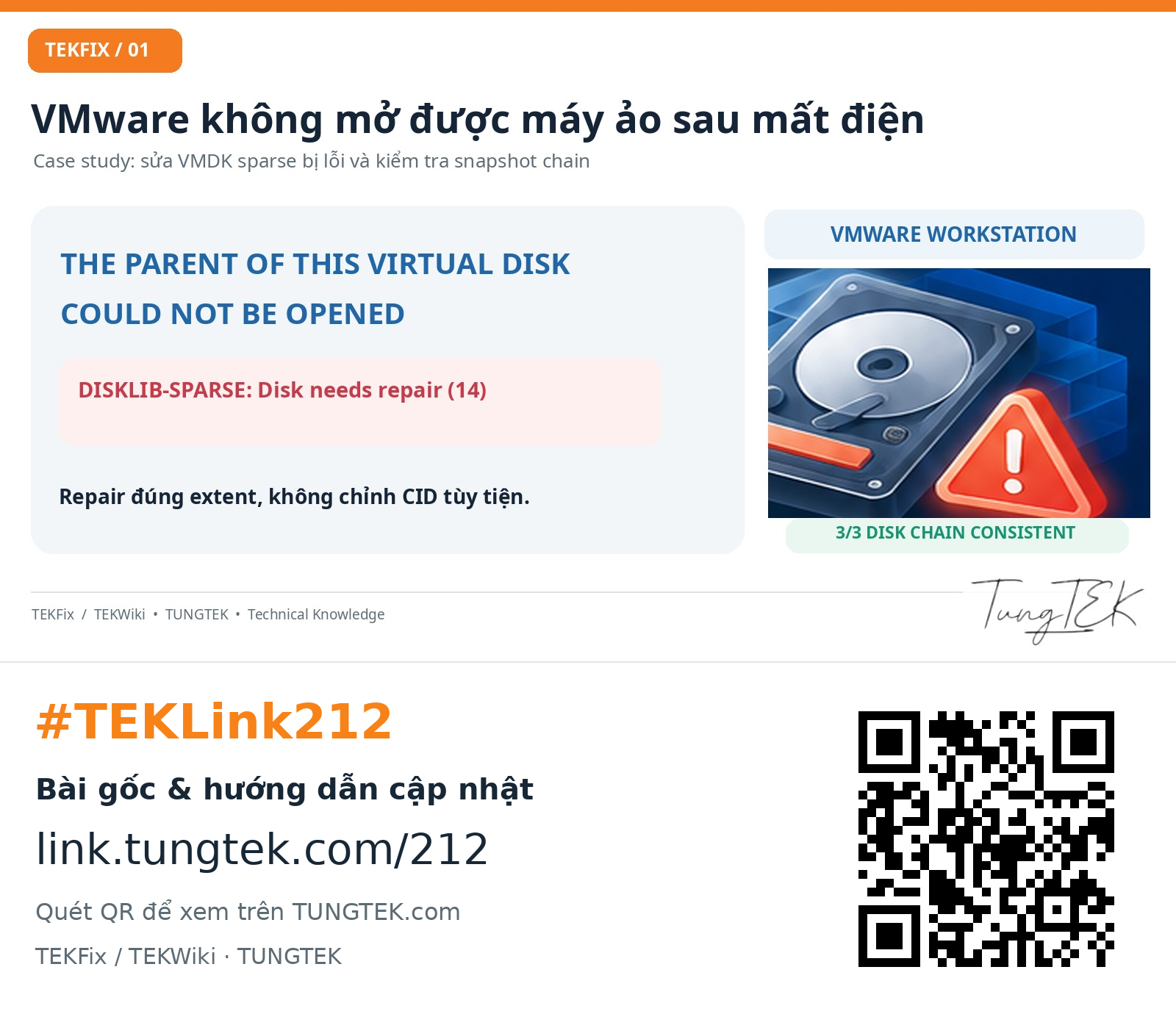
VMware Disk needs repair after a power outage: VMDK snapshot recovery
TEKLink212: trace DISKLIB, inspect CID/parentCID, repair the affected VMDK descriptor and verify three consistent chains. Windows/SQL results unconfirmed.
30-second summary
- Read the log before selecting a repair descriptor.
- Do not infer snapshot order from numeric suffixes.
- -R writes; use a full independent copy. -e checks chains.
 Enlarge ↗
Contents
01. A quick summary for IT engineers#
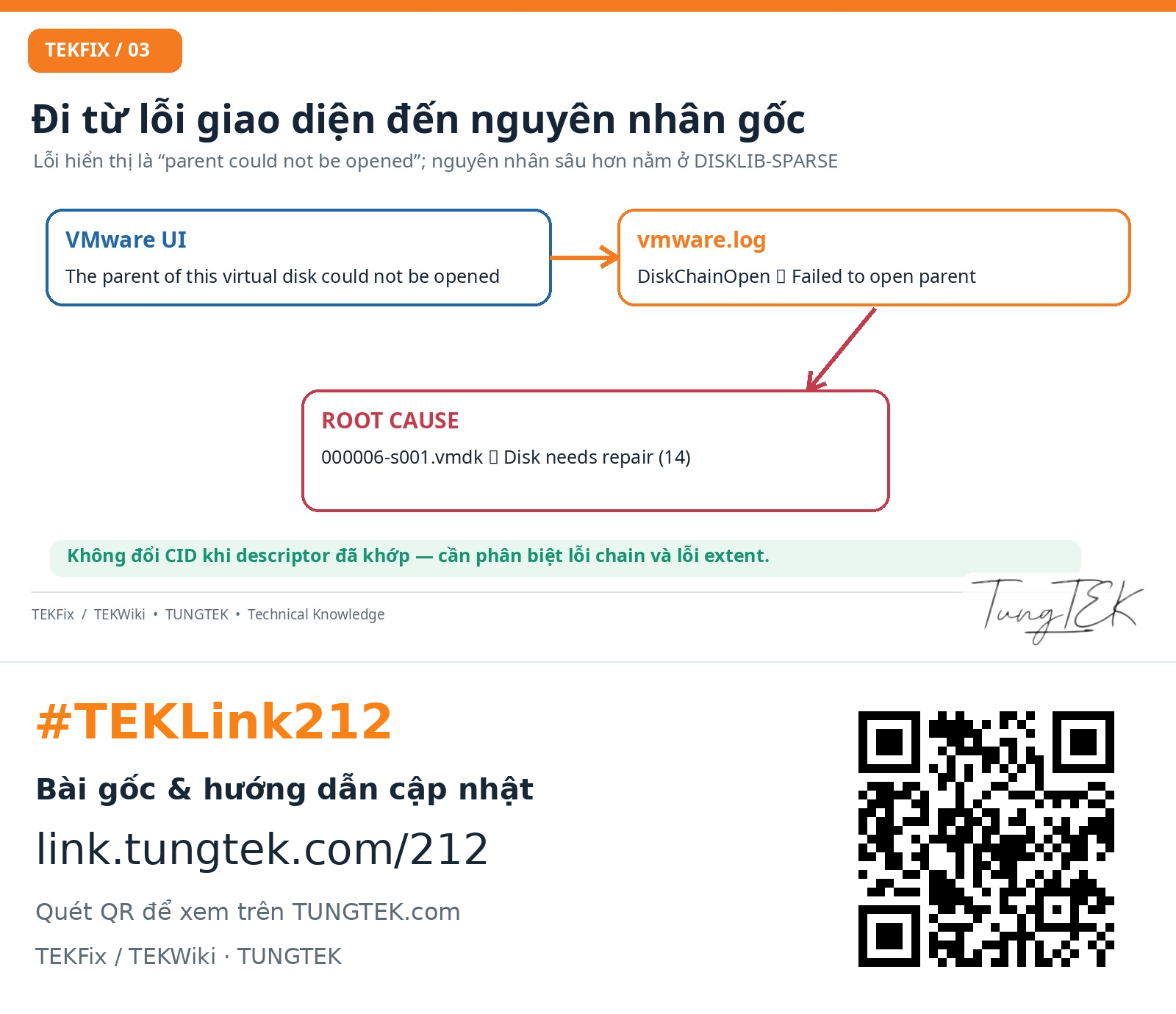
A Windows Server virtual machine on VMware Workstation would not start after a power outage. The GUI reported “The parent of this virtual disk could not be opened”. Investigation of vmware.log identified an intermediate snapshot SPARSE extent reporting “Disk needs repair (14)”.
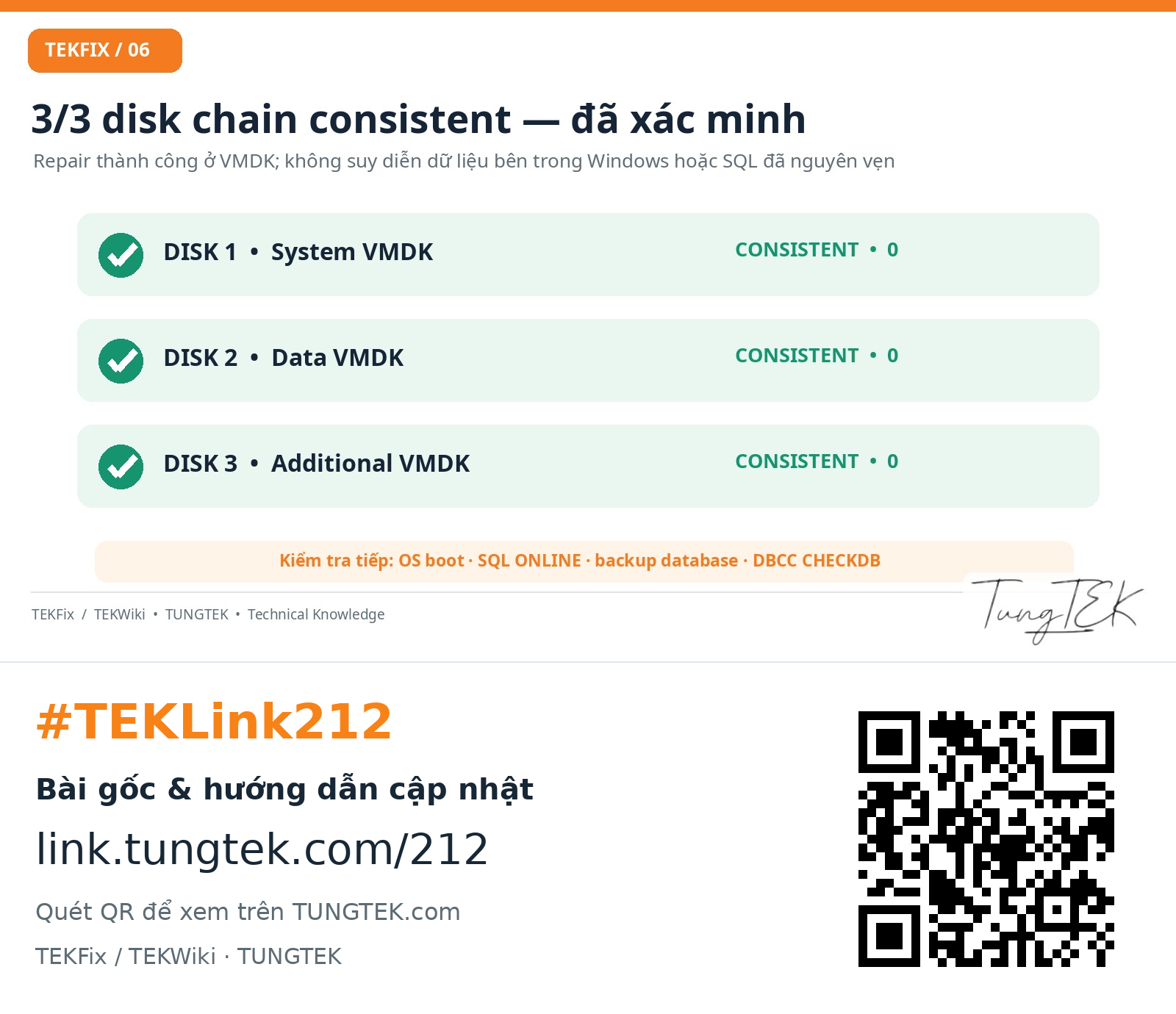
After confirming matching CID/parentCID links, the engineer ran vmware-vdiskmanager -R against the descriptor for snapshot 000006. VMware reported a successful repair. Verification of all three attached virtual disk chains with -e returned “Disk chain is consistent.” and exit code 0. These are virtual-disk-layer results; Windows boot, SQL Server and application integrity have not been confirmed.
Remember these boundaries#
- A parent-open error is a symptom; an ancestor snapshot extent can be the direct point of failure.
- Do not edit CID/parentCID merely because a parent error appears. Inspect the descriptors and log first.
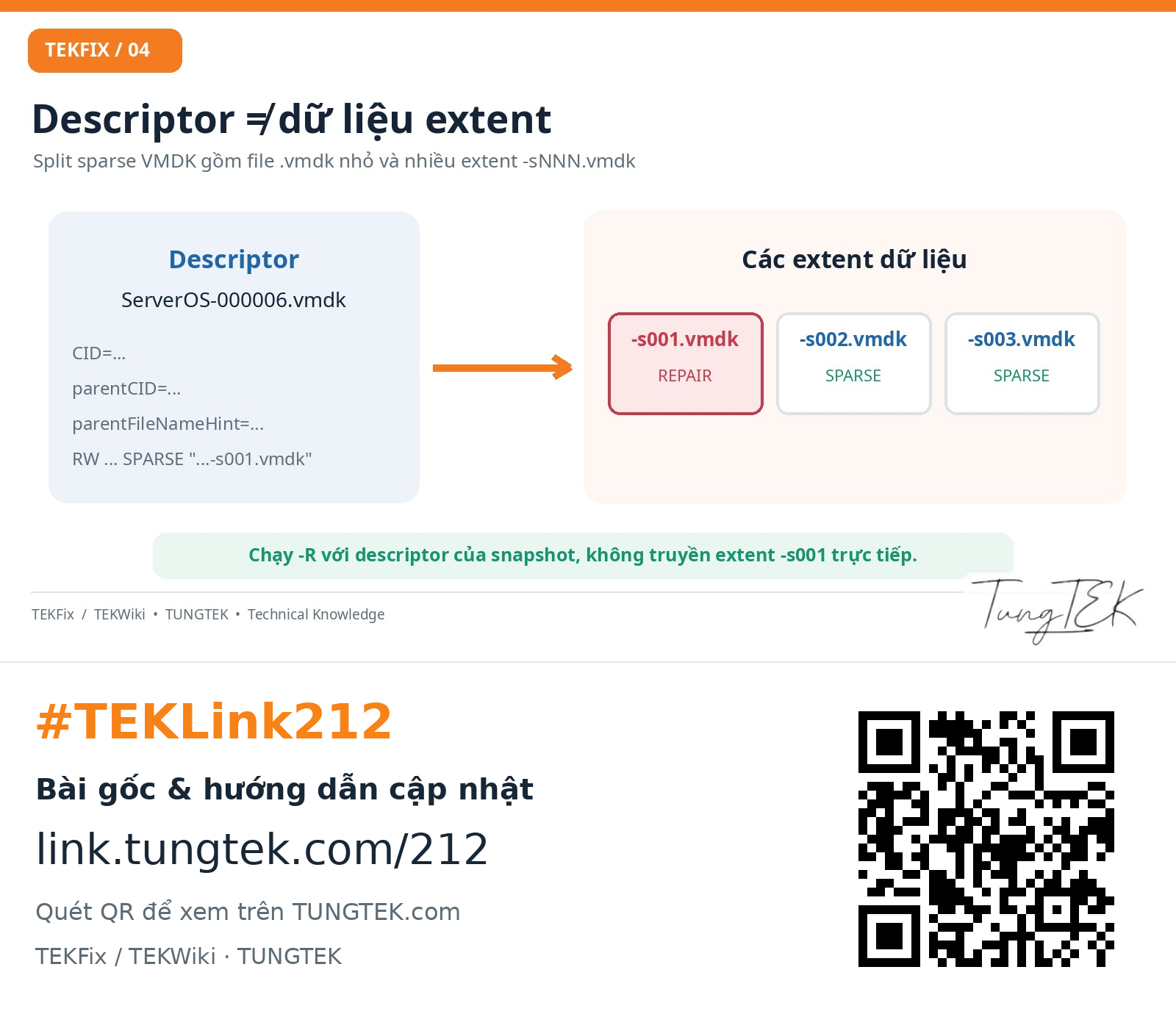
- For split sparse disks, pass the affected snapshot descriptor to Repair, not its -s001.vmdk extent.
- -R writes changes. Back up the complete VM and its dependencies to separate storage before repair.
- A consistent chain does not prove the guest filesystem or database is intact.
02. Symptoms and incident context#
What the case record shows#
Before the power event, the VM had reported a file-lock problem; starting Workstation as Administrator had helped temporarily. This does not establish the cause of the later failure. The host then stopped abruptly while the VM had multiple snapshots. On restart, the GUI showed a parent-open error. DISKLIB identified a SPARSE extent in snapshot 000006 as requiring repair.
 Enlarge ↗
The case record documents a successful -R repair of descriptor 000006 followed by consistent results for three disk chains. It does not establish that the operating system, SQL data or application services recovered.
Separate three error classes#
| Message | Possible scope | First response |
|---|---|---|
| Locked / process cannot access the file | VM, backup, mount or security software; access permissions | Identify the handle/PID; do not delete .lck files blindly. |
| Parent of this virtual disk could not be opened | Missing files, CID mismatch, locks, metadata or I/O at any chain link | Inspect DISKLIB and parent descriptors. |
| Disk needs repair | VMware rejected a sparse virtual disk structure | Protect the source, check files and evaluate -R against the correct descriptor. |
03. Snapshot dependencies are not a numerical sequence#
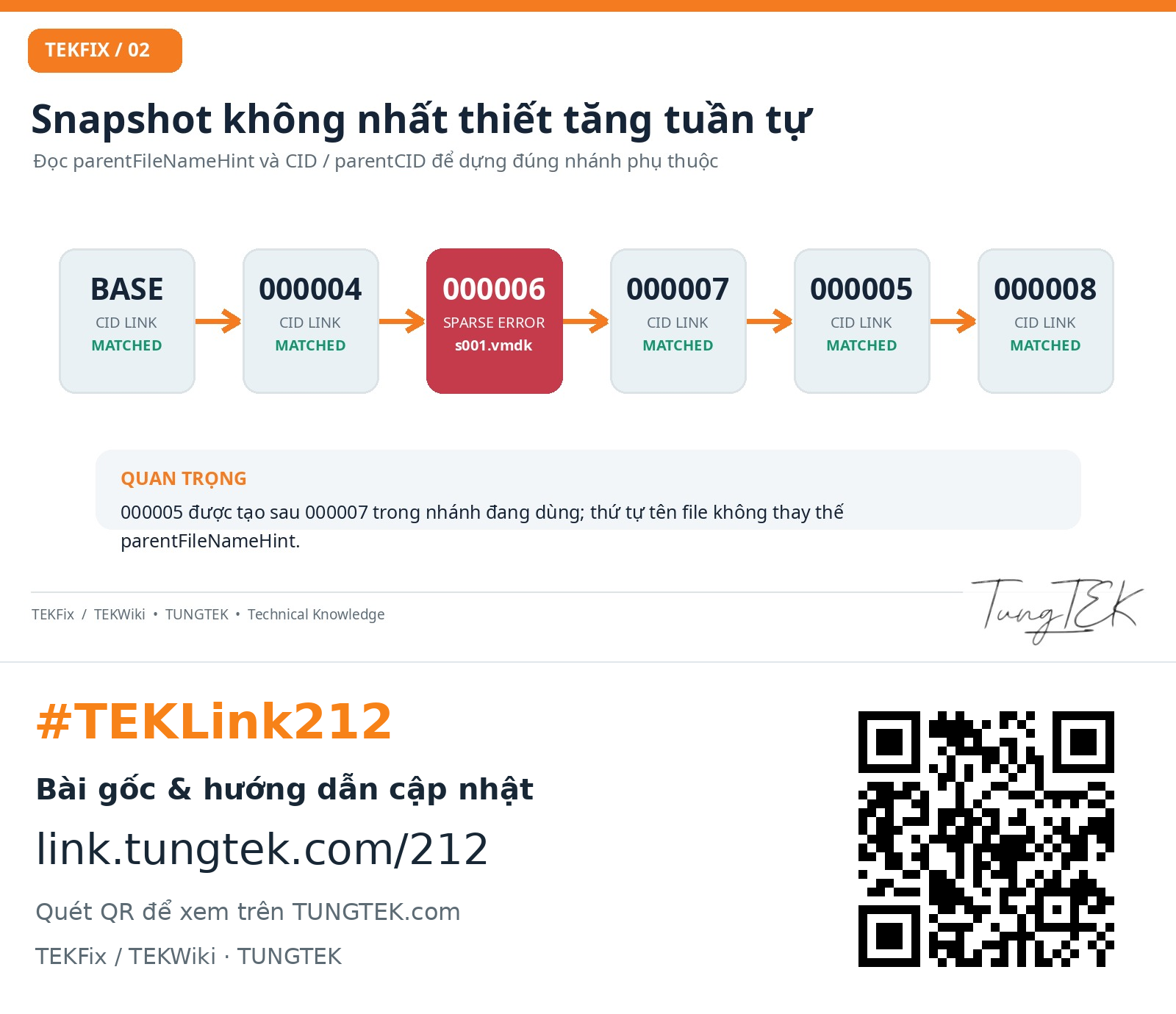
The verified branch was BASE → 000004 → 000006 → 000007 → 000005 → 000008. Snapshot suffixes do not necessarily increase along the active branch. Follow parentFileNameHint, CID and parentCID.
 Enlarge ↗
CID and parentCID#
A child descriptor’s parentCID must match the CID of the parent identified by parentFileNameHint. The base disk has parentCID=ffffffff. This checks linkage, not a checksum of every data extent.
| Example VMDK | Sanitised CID | Sanitised parentCID | Parent |
|---|---|---|---|
| ServerOS.vmdk | 10ac20fe | ffffffff | — |
| ServerOS-000004.vmdk | 20bd31ef | 10ac20fe | Base |
| ServerOS-000006.vmdk | 30ce42dd | 20bd31ef | 000004 |
| ServerOS-000007.vmdk | 40df53cc | 30ce42dd | 000006 |
| ServerOS-000005.vmdk | 50e064bb | 40df53cc | 000007 |
| ServerOS-000008.vmdk | 60f175aa | 50e064bb | 000005 |
Every CID in this example is a sanitised, internally consistent placeholder, not an original system identifier.
Descriptor and split sparse extents#
With createType="twoGbMaxExtentSparse", a small text descriptor references multiple extent files, such as ServerOS-000006-s001.vmdk and -s002.vmdk. Each RW/SPARSE entry describes a logical region. An existing, non-empty extent may still contain damaged sparse metadata.
 Enlarge ↗
# Minh họa descriptor VMDK đã thay tên/CID
CID=30ce42dd
parentCID=20bd31ef
createType="twoGbMaxExtentSparse"
parentFileNameHint="ServerOS-000004.vmdk"
RW 33554432 SPARSE "ServerOS-000006-s001.vmdk"
RW 33554432 SPARSE "ServerOS-000006-s002.vmdk"04. Investigating vmware.log with PowerShell#
Step 1 — Preserve the current state#
- Power the VM off and stop repeated start attempts. Record Workstation version, attached VMDKs and host free space.
- If the source media shows read errors, prioritise controlled imaging or cloning before any repair.
- Do not immediately revert/delete snapshots, consolidate, edit CID values or run CHKDSK /f on the source.
Step 2 — Find the meaningful DISKLIB error#
$vmDir = 'D:\VM-Lab\WindowsServer-VM'
$log = Join-Path $vmDir 'vmware.log'
Get-Content -LiteralPath $log -Tail 500 |
  Select-String -Pattern 'DISKLIB-SPARSE|DISKLIB-CHAIN|Disk needs repair|Failed to open|000006' |
  Select-Object -Last 60
Sanitised example log:
DISKLIB-SPARSE: "...ServerOS-000006-s001.vmdk"
  failed to open (14): Disk needs repair.
DISKLIB-LINK: Failed to open "...ServerOS-000006.vmdk"
  The specified virtual disk needs repair.
DISKLIB-CHAIN: "...ServerOS-000008.vmdk"
  Failed to open parent "...ServerOS-000006.vmdk".
The direct failure is named at extent 000006-s001. The error is propagated up to the active snapshot. This message alone does not prove missing file contents or bad sectors.
Step 3 — Read known descriptors and compare links#
$vmDir = 'D:\VM-Lab\WindowsServer-VM'
$stem = 'ServerOS'
$ids = @('', '-000004', '-000006', '-000007', '-000005', '-000008')
foreach ($id in $ids) {
    $file = Join-Path $vmDir ($stem + $id + '.vmdk')
    Write-Host "===== $([IO.Path]::GetFileName($file)) ====="
    if (Test-Path -LiteralPath $file -PathType Leaf) {
        Get-Content -LiteralPath $file -TotalCount 12 |
          Select-String '^(CID|parentCID|parentFileNameHint)='
    } else { Write-Host 'MISSING DESCRIPTOR' }
}
Read only known text descriptors. Do not use Get-Content to extract text from binary -sNNN.vmdk extents.
Step 4 — Check declared extent files#
$desc = Join-Path $vmDir 'ServerOS-000006.vmdk'
$extents = @(Get-Content -LiteralPath $desc | ForEach-Object {
    if ($_ -match '^RW\s+\d+\s+SPARSE\s+"([^"]+)"') {
        $Matches[1]
    }
})
$missing = @($extents | Where-Object {
    -not (Test-Path -LiteralPath (Join-Path $vmDir $_) -PathType Leaf)
})
"Declared extents: $($extents.Count)"
"Missing extents: $($missing.Count)"
$missing
Recover or locate missing extents before continuing. Finding every file still does not validate its contents or sparse metadata.
05. A recovery process with explicit write boundaries#
 Enlarge ↗
Before running -R#
- The VM must be fully powered off, not suspended. Close Workstation and verify no process is using these disks.
- Keep an independent copy of the complete VM, including every extent and parent dependency. Copying only the affected descriptor is insufficient.
- Use stable power and storage without ongoing physical failures.
- Repairing an only copy under urgency is a high-risk exception, not the standard procedure.
Step 5 — Locate vmware-vdiskmanager#
$tool = 'C:\Program Files (x86)\VMware\VMware Workstation\vmware-vdiskmanager.exe'
if (-not (Test-Path -LiteralPath $tool)) {
    throw 'Không tìm thấy vmware-vdiskmanager.exe; kiểm tra thư mục cài đặt.'
}
Step 6 — Repair the affected snapshot descriptor#
The E: location below is an example independent recovery copy. Do not execute it unless that location contains the full, protected VM copy.
$recoveryDir = 'E:\VM-Recovery-Copy\WindowsServer-VM'
$target = Join-Path $recoveryDir 'ServerOS-000006.vmdk'
if (-not (Test-Path -LiteralPath $target)) { throw 'Missing descriptor.' }
& $tool -R $target
"Repair exit code: $LASTEXITCODE"
The recorded case result, with a sanitised path:
The virtual disk, '...\ServerOS-000006.vmdk',
was corrupted and has been successfully repaired.
Do not choose 000008 merely because it appears in the GUI. Do not pass -s001.vmdk directly to -R. In this case, the log identified snapshot 000006; that is not a universal target for other incidents.
Step 7 — Verify the active chains#
$disks = @(
  'ServerOS-000008.vmdk',
  'ServerData-000005.vmdk',
  'AdditionalDisk-000005.vmdk'
)
foreach ($disk in $disks) {
    Write-Host "Checking: $disk"
    & $tool -e (Join-Path $recoveryDir $disk)
    Write-Host "Exit Code: $LASTEXITCODE"
}
The case evidence reports all three chains consistent with exit code 0. This does not replace guest boot, NTFS, application or SQL Server validation.
06. Proven results and limits of the conclusion#
 Enlarge ↗
| Verified evidence | Result | Not established |
|---|---|---|
| Descriptor 000006 | Successfully repaired | No guarantee that every data sector survived. |
| OS disk at 000008 | Chain consistent; exit code 0 | Windows boot success. |
| Second virtual disk | Chain consistent; exit code 0 | MDF/LDF integrity. |
| Third virtual disk | Chain consistent; exit code 0 | Normal application operation. |
The supplied record ends without a Windows/SQL post-check report or proof that a database reached ONLINE. This article claims restored VMDK-chain consistency, not complete application recovery.
Post-check checklist if the VM can start#
- Start the verified copy and record I/O, filesystem and automatic repair warnings.
- Confirm Windows boot, expected volumes and essential services. Avoid new business writes when forensic preservation is required.
- Check SQL Server service, error logs and database states: ONLINE, SUSPECT or RECOVERY_PENDING.
- Prioritise valid SQL backups to independent storage and evaluate transactional consistency.
- After protecting the data and evaluating I/O, plan DBCC CHECKDB. Do not automatically use REPAIR_ALLOW_DATA_LOSS.
- Release business applications only after representative business checks and operational approval.
-- Ví dụ kiểm tra trạng thái; thực hiện trên SQL instance được phép
SELECT name, state_desc, recovery_model_desc
FROM sys.databases ORDER BY name;

-- Đọc tính toàn vẹn DB khi đã có kế hoạch bảo vệ phù hợp
DBCC CHECKDB (N'<DatabaseName>') WITH NO_INFOMSGS;
07. Preventing recurrence on important VMs#
 Enlarge ↗
Single-file or split 2 GB VMDK?#
| Aspect | Single-file | Split 2 GB |
|---|---|---|
| Files to preserve | Fewer, larger files | Multiple extents; every file is required. |
| Copying and backup | Simpler file inventory; large individual file | Useful where file-size limits exist. |
| Safety | Not inherently safer | Not inherently less safe. |
| Snapshots | Still creates snapshot/delta dependencies | Still creates snapshot/delta dependencies. |
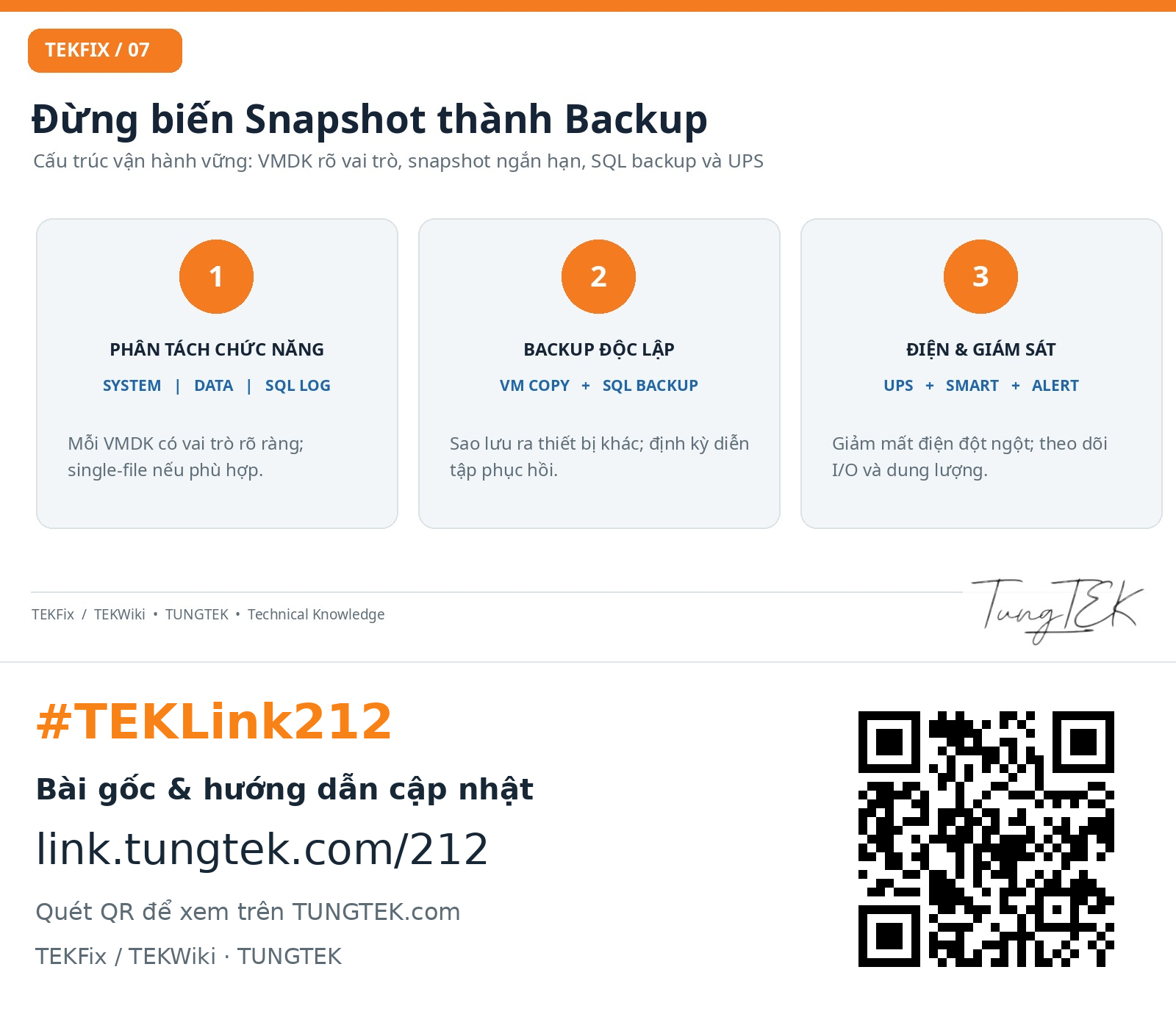
Separate OS, SQL data and SQL log disks where operationally useful. A single large VMDK per disk can simplify management on suitable storage. Do not convert an unprotected VM; migrate via a clone and validate the data.
Snapshots are not backups#
AutoProtect can create snapshot branches over time. Snapshots support short-term rollback and depend on their parents; they do not replace independent backups, particularly for SQL Server. Avoid long-lived production snapshot chains.
Operational recommendations#
- Monitor UPS condition and configure orderly host shutdown.
- Monitor host free space, delta growth, SMART/RAID and storage-provider events.
- Use appropriate native SQL full/differential/log backups and an independent VM backup.
- Test restoration periodically and retain reproducible recovery records.
- Run as Administrator can address access restrictions; it does not repair corrupted sparse metadata.
08. When the next result is unexpected#
| Situation | Priority |
|---|---|
| -R fails or Disk needs repair returns | Stop writes; preserve the original; evaluate media/I/O and the working copy. |
| -e reports CID mismatch | Reconstruct the actual chain and modification history; do not guess replacement CID values. |
| Missing extent | Find the correct extent; do not create an empty placeholder. |
| Repair succeeds but Windows BSODs | Investigate boot, storage drivers and filesystem; do not repeat -R without new virtual-disk evidence. |
| Windows starts but SQL is SUSPECT | Preserve state and assess SQL logs/backups and restore options; avoid REPAIR_ALLOW_DATA_LOSS. |
| Bad sectors or unstable host RAID | Prioritise storage-level imaging/cloning before repeated reads. |
09. Technical FAQ#
Does every parent error mean a CID mismatch?
No. A parent can fail to open because of missing files, locks, sparse metadata damage or I/O. Locate the first meaningful DISKLIB cause.
Why does 000005 follow 000007?
Suffixes can reflect snapshot branch history. Determine dependencies from parentFileNameHint and matching CID values.
How do -R and -e differ?
-R attempts a repair and writes changes. -e checks chain consistency. Treat write-capable repair separately from verification.
Repair 000008 or 000006?
For this case, the log names extent 000006-s001, so the repair target is descriptor 000006.vmdk. Other incidents require their own evidence.
Does a consistent chain prove SQL data is safe?
No. VMware-chain verification does not perform DBCC checks or establish transactional consistency.
Should .lck files be deleted immediately?
No. Check VM state, handles and related processes first. Removing locks from a running VM can cause damage.
Are split 2 GB disks more fragile?
A single case cannot establish a format reliability ranking. The operational difference is the set of files and dependencies to preserve.
What if there is no backup and repair is urgent?
That is a high-risk decision. Attempt imaging or copying first, document the decision and avoid destructive steps. Repair is not automatically safe.
10. Sources and verification scope#
The sanitised TUNGTEK case record supports the reported -R repair and three consistent chains with exit code 0. Vendor documentation explains mechanisms and workflows; it is not an independent test of this case.
The AutoProtect source below covers VMware Fusion. It is used for snapshot dependency principles, not as a Workstation 17.x support matrix.
11. Getting appropriate assistance#
Preserve the original, record prior operations and identify priority data. TUNGTEK can review the current state and agree the next assessment step. Do not post identifying logs or sensitive VM files in public comments.
🇻🇳 Data incident? Call TUNGTEK.
Advice based on the actual state; preserve the original and agree scope before processing.
0963 509 115